


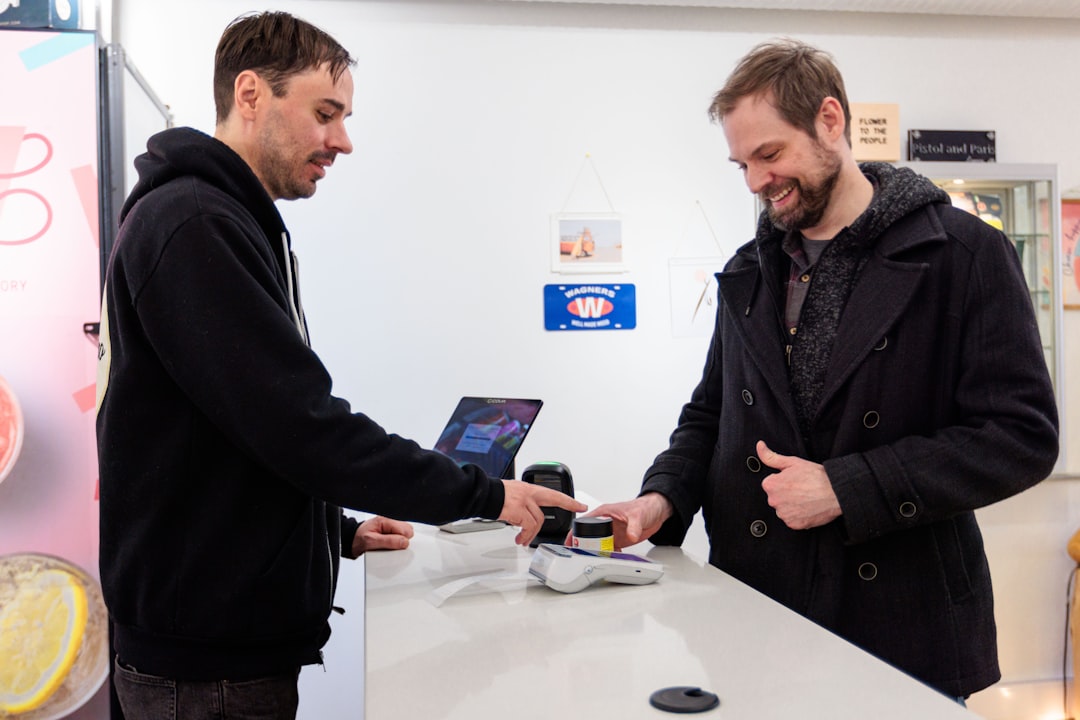
Small teams can use AI in POS systems without hype by turning one pain point into a repeatable daily routine for checkout, team handoffs, and closeout checks.
When I talked with a small bakery owner last year, she said her favorite new phrase was, "The POS is trying to run the store while I sleep." A week later, that same owner sent me a text: "It tried, but it also suggested raising prices on Tuesdays and I nearly had a panic." That moment says everything about where small-business AI is right now. It is not science fiction, and it is not magic. It is closer to that coworker who is really helpful when paired with clear instructions, but not very reliable if you hand them the keys.
Many teams still treat AI in operations like a weekend upgrade project: set and forget, and then complain in Monday staff meeting that the robot is too clever or too dumb. But practical stores are moving from experiments to daily habits. The shift is subtle and easy to miss. In 2026, small stores are not buying AI to replace people; they are buying it to make people less busy about the repetitive parts, so they can focus on customers, staff, and cash flow.
Why "quiet AI" beats flashy AI in a POS
Most operators tell the same story: they were promised miracles, but their team needed simple, repeatable improvements first. Quiet AI means small, specific jobs happening predictably. Think about three places at a typical POS: checkout, menu or inventory setup, and end-of-day wrap-up.
"A small lift done daily beats a grand idea done once."
At checkout, AI can help team members do fewer manual lookups by suggesting likely items or repeat customers, by flagging unusual discount patterns, and by reducing accidental pricing mistakes. None of that is glamorous. It is the kind of improvement that shrinks friction exactly where your frontline team spends time.
In inventory setup, AI is often useful when it helps you spot fast-moving items and catch slow movers before the next order cycle. But this only works if you give it clean input. If categories are messy and modifiers are entered every way possible, even the smartest engine will mirror that mess.
In end-of-day tasks, automation can be most valuable. If your staff spends 15 minutes manually scanning notes, reconciling tips, and correcting returns, that is 15 minutes that could be customer interactions, stocking, cleaning, or training. Good systems can suggest a pre-close checklist based on your store's patterns, then prompt the team on unusual steps like a gift card partial refund that was not explained.
How to move from "AI pilot" to "AI routine"
Most stores do two big things wrong: they start with a tool and skip the process. The result is software fatigue. You can avoid that by building a three-part routine around real habits, not around every feature on the screen.
Step 1: Pick one pain point for the first week
Pick a pain you can see, not one you can imagine. Maybe returns are taking too long, or late-night pricing overrides are causing surprises. Define one metric you care about before you begin, but keep the measure simple: fewer checkout interruptions, fewer return disputes, fewer missed handoffs.
Step 2: Set a repeatable 15-minute training slot
Every routine needs a small group rhythm. Two staff members each learn one feature in week one, then teach one another. This turns AI from "owner-only" tech into team knowledge. If an employee can explain what the system flagged and why, they start trusting it.
Step 3: Write a short "AI decision log"
After each shift, quickly note three things: what worked, what confused people, and what the team changed by hand. This log is not for a giant board. It is for spotting patterns. If two workers skip the same suggestion, maybe the rule is wrong. If a suggestion solved three recurring issues, automate it deeper.
By the end of week one, you will not have transformed your business. You will have something more useful: a baseline of how AI behavior affects your team and your checkout flow.
- Start with small-store scale: one branch of your process at a time, not all modules.
- Use team language: if your team calls it "the scanner check," keep that wording in setup notes.
- Measure quietly: write down outcomes, not slogans.
The practical AI workflow for team management
People worry that automation can make operations less human. In reality, it can make team meetings less chaotic. If everyone sees the same dashboard summary, you get fewer side conversations about who missed a step.
One useful pattern is role-based prompts. Cashiers need one kind of suggestion. Shift leads need another. Back-of-house managers may need a daily snapshot instead of every small alert. When roles get the right signal, staff trust rises because nobody feels the system is shouting at them randomly.
For example, a small food service team shared this cycle: the morning shift gets a quick opening checklist, the lunch rush team gets substitution alerts, and the closing team gets a short variance note before the close is approved. It is less about advanced AI models and more about deciding when the team should hear what they need to hear.
What to do when AI gives bad output
Bad output does not mean bad system, and it often means poor process design. A classic case is "we trained the POS to automate, then forgot to keep human review." That creates trust issues fast. No output rule should be final if it changes money, inventory, or customer-facing outcomes.
Use this quick guardrail:
- Flag the action for a second person check if risk is high.
- Pause the specific rule for the shift if two or three false positives happen in a row.
- Update the input standard before re-enabling it.
This is what most owners miss: AI is part of a system, not a bypass for system design. If your team is still entering inconsistent item names, inconsistent discounts, or inconsistent customer notes, automation will enforce inconsistency at speed.
A 30-day plan you can copy today
For a small store with one manager and a rotating front-end team, this 30-day rhythm works well.
Week 1: choose one pain point, define a simple weekly measure, and train two people.
Week 2: run one recurring automation loop, keep one human override path, and create your AI decision log.
Week 3: adjust rule thresholds where staff report friction, then repeat one coaching session so everyone uses the same language.
Week 4: compare your measure to baseline. Keep what helps customers and your staff; disable what adds clicks or confusion.
If your team notices no improvement by day 30, do not throw away the effort. Most successful stores do not skip the review. They simply reduce scope and improve inputs.
Keeping the customer experience ahead of the dashboard
The reason this matters is simple: every tiny automation has to protect or improve people's experience. If your queue gets faster and your team feels less stressed, customers notice. If checkout gets strange, no one is impressed by your innovation story.
Make the customer part of your testing script. Pick one week where only one thing changes, and ask your team to listen for signs: fewer complaints, faster repeat greetings, fewer questions about wrong totals, cleaner handoffs. That is the real return on automation.
The final piece: treat AI like a teammate
When stores think of AI as a replacement, they run into unnecessary anxiety and over-correction. When they treat it as a teammate, they build standards, checks, and routines. It becomes part of training, not a source of chaos.
Small businesses do not need an overbuilt AI stack to win with better operations. They need good habits, clear team communication, and a POS setup that rewards consistency. Start where the pain is loudest, measure gently, and let your team shape the next step.
If you want a practical setup and templates to begin this transition in a real checkout environment, you can download M&M POS and start building this workflow in your own store logic.
