


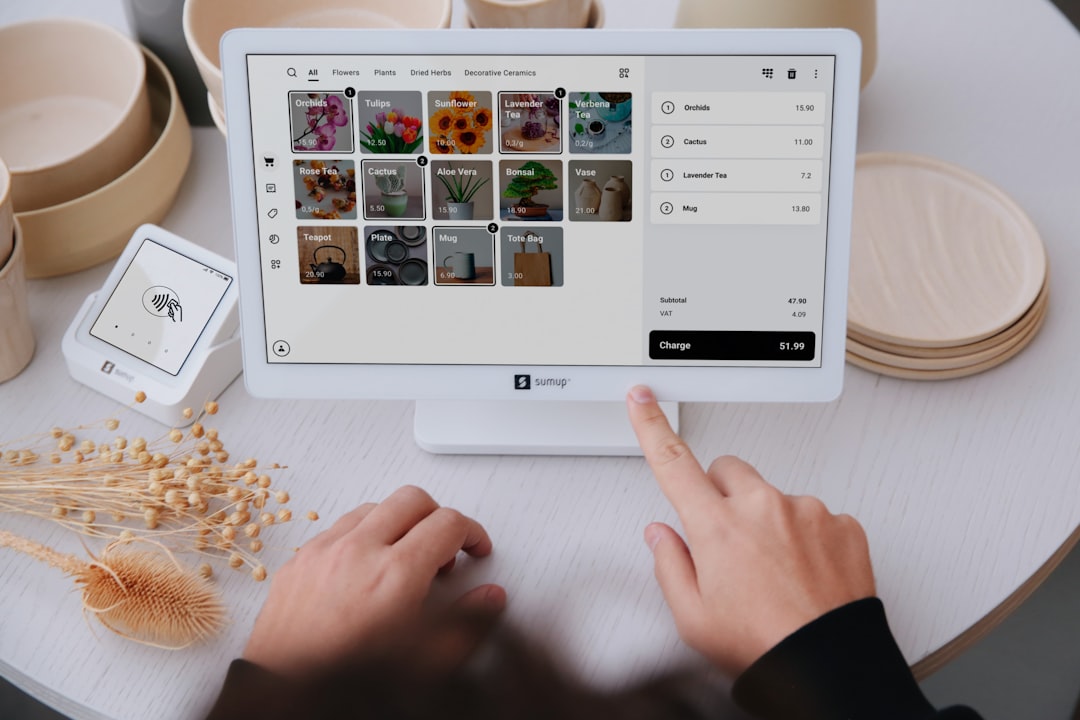
Why centralized POS settings and better checkout controls can reduce front-of-house surprises during rush hours and improve reconciliation confidence.
Picture this: it is the last hour before close, your server says, "The POS says discount rules are missing." Your host says, "The payment terminal rejected cash." A staff member whispers from the back: "Who changed settings this morning?" That is the type of moment that makes good teams feel like bad actors in a mystery play. One screen, one source of truth, and clear control limits are how you cut this down.
When settings live in scattered menus, the cost is not just clicks. It is trust drift. The front counter assumes one behavior, the kitchen tablet another, and a third person has a stale local preference. During a rush, that fragmentation becomes expensive quickly.
What a centralized settings hub changes
It is easiest to describe this as moving from a scavenger hunt to a map. Instead of "Which menu has the tax rule?", "Which menu has the cash tender limit?", your team checks one place before opening and one place before close. The change sounds administrative, but it affects speed and confidence under pressure.
Teams with high-volume evenings feel this first when discounts, promos, and taxes are updated by one person but applied by five. A central editor prevents the common mismatch where one terminal is still on yesterday's setup. It is not glamorous, but it is high leverage.
Checkout stability beyond the "settings" word
Reliable settings are not just about price edits. They also affect whether your cash drawer workflow, tender setup, and payment prompts stay aligned across shifts. A mismatch here can create two kinds of mistakes: undercharging customers and over-counting closeout variance.
"Most front-of-house errors are not because staff are careless; they are because systems disagree with each other."
That line may sound dramatic, but it is true. When one part of the stack says one thing and another says something else, the team spends the shift making up for the gap.
The one-screen routine for smooth close
Use this simple rhythm:
- At opening, one person confirms core defaults: tax rounding, discount permissions, and cash/tip settings.
- Mid-shift, a second check if any campaign rules changed.
- At close, lock settings and run a quick reconciliation prompt before printing shift totals.
Again, boring tasks are underrated. A 3-minute consistency ritual catches more mistakes than a 30-page process document.
Cash workflow changes and fewer surprises
Cash handling settings can cause the loudest end-of-day arguments when they are inconsistent. A shared cash management baseline avoids the classic, "The drawer opened with less than expected" talk. If your team trusts that all stations share the same rule, closeout disputes drop fast.
Do not skip role-based permissions during this transition. Not everyone needs every control. Owners like control, supervisors need editing rights, and frontline staff need clear, limited defaults. A small permission model can reduce accidental changes more than any dashboard feature.
What to monitor in the first two weeks
Track three simple indicators: number of checkout exceptions per shift, number of manual corrections before close, and time to complete open-close. If these metrics improve, your settings consolidation is doing real work.
The goal is not fewer controls. It is better predictability when traffic spikes. If your team has one place to verify setup and clear routines to follow, they can spend less time hunting and more time serving.
For teams that want a concrete entry point this week, download M&M POS, keep your settings checklist on one shared board, and choose one station to be the morning verification captain.
Teaching the habit in twenty minutes
You can train settings discipline without a long meeting by using a twenty-minute start-of-day drill. Show one flow end to end: open POS, verify tax, verify discount permissions, verify cash drawer and settlement settings, and close with a quick reconciliation check.
Give each lead one question to answer after drill time: where did we almost miss a change, and how would a guest feel if this failed at seven forty five p.m.? The second question should stay guest-facing, not blame-facing. It helps the team catch small errors before they become a front counter issue.
How to avoid settings whiplash
Settings whiplash happens when one person changes rules and nobody knows why. Prevent it by requiring a short note for every major edit: the reason, the person, and the expected effect. This does not slow operations; it keeps everyone from solving the same problem twice.
Consistency beats cleverness on a Friday night.
Use a shared board where everyone can see verified status at least twice a day. Most teams do not need perfect control, they need shared memory. Once that shared memory exists, busy nights feel less chaotic and more like controlled movement.
A small, consistent settings routine can remove a lot of quiet stress from your front line. And less stress usually means cleaner receipts, calmer guests, and faster close.
