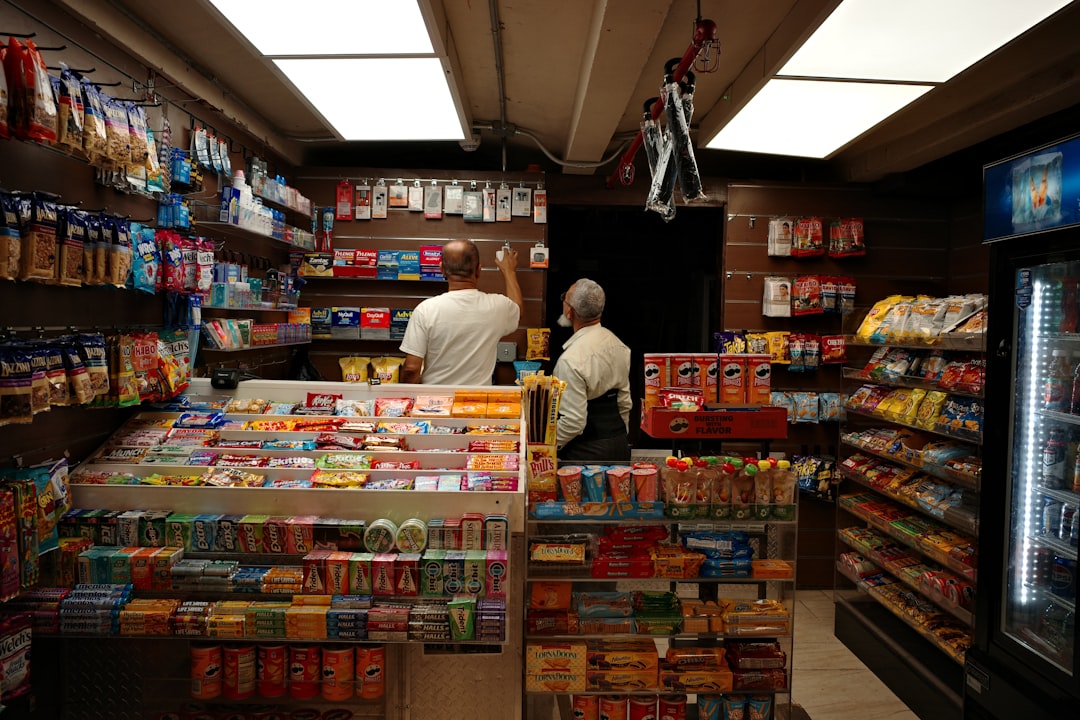
A busy checkout becomes easier when prompts help staff catch useful follow-up details without slowing the line or making customers feel rushed.
At 11:42 in the afternoon, a busy corner bakery feels like a small traffic accident. Someone asks for a croissant, another wants a latte refill, one family wants a birthday cake, and a last guest just called to ask if a second topping can be added before they get to the front. Cashiers can do magic, but they are human, and human brains do not have infinite tabs open at once.
One small idea helps in that moment: set up gentle checkout prompts so the system does a little of the remembering for the team. A good prompt does not replace judgment. It is a nudge that says, This is likely the next useful step.
A bad prompt does the opposite: it interrupts, talks too much, and makes the line feel like a sales theater.
The difference is simple. A helpful prompt is specific, short, and tied to a real context. It appears only when the register can act on it. It should help the cashier stay faster, safer, and clearer to the customer. If a prompt needs an extra two sentences to explain itself, it is probably too chatty for rush hour.
Start with prompts that reduce forgotten steps, not add tasks
Think about a simple toy counter. A customer buys a mini flashlight. The line still has ten people, and the cashier is already juggling modifier notes. A weak setup would ask for a generic sales script or a random upsell prompt, which only adds heat to the moment. A good setup would do this: if batteries are often sold with flashlights, suggest a quiet battery check only when that item is in the cart. The cashier then gets one practical hint: ask whether the customer wants fresh batteries before payment.
The retail example is small, but the timing makes the difference. The cashier does not have to remember a list of pairings from every past sale. The suggestion appears only when context says it is likely useful. That keeps the line moving and the team calmer. The goal is not to push, it is to prevent avoidable backtracking.
Prompts can help in restaurants, for restaurants and retail
At lunch counters and counter-service spots, one missed modifier can turn into a delayed kitchen run and an awkward explanation. A generic reminder is not helpful. A useful prompt is narrow. If the customer picks a protein and a sauce option is usually omitted during a rush, the prompt can suggest the common sauce choice only after the base item is selected. The cashier can still choose not to apply it when the order is clearly different.
Here is the key: prompt language must sound like a colleague, not a script reading from a podium. Good phrasing is closer to:
Most of these orders also include a side dressing note.
That is a cue, not a command. Bad phrasing is closer to a lecture. Keep prompts human, short, and optional.
How to build only the prompts that are actually useful
Before adding any new prompt, answer five checks in plain language. First, does the prompt fire only when there is a real chance of a missed step? Second, can staff skip it in one tap without losing pace? Third, will the action still feel respectful to the customer? Fourth, can the action be done correctly without sensitive information? Fifth, will this reduce a recurring correction later in the day? If one answer is unclear, do not launch the prompt. Use one week of normal operation to test whether it helps. Prompts that trigger too often become noise. Prompts that never fire become ignored decorations. Either outcome defeats the purpose.
Use prompts for errors before they become problems
Most teams notice prompts are worth keeping when they prevent two kinds of problems. The first is the forgotten follow-up: a modifier or add-on left off, a loyalty card not asked for, or a delivery note not captured when it matters. The second is the wrong follow-up: using the wrong note, wrong price exception, or wrong payment method because the cashier was trying to keep pace.
A practical flow that usually works:
After the sale is entered, but before payment finalization, show one checkout prompt for each high-friction step. For example, if a return is opened, a prompt can suggest a reason field that will matter later in a dispute conversation. If a discount is applied, a prompt can suggest the reason bucket that matches your team policy. If a void occurs, a prompt can remind staff to add a short reason now, while memory is still fresh.
Each prompt is small. If your team says you need the same two-sentence paragraph every time, move that sentence into training, not the checkout screen.
Where prompt systems usually fail, and how to avoid the worst outcomes
There are three common ways prompt systems backfire. First, they become a second tax on attention. Second, they begin to store or expose details that do not belong in order text. Third, they encourage habits that feel performative, where staff click prompts to satisfy software instead of helping the customer. Do not let that happen.
For trust and safety, keep prompts strict about what should never be written down. No full card numbers, no full personal contact details, and no sensitive data that staff already should avoid entering into order notes. A prompt can ask for a refund reason or a simple delivery note, but it should not ask for private data that a better workflow should never collect in notes at all.
If a prompt asks for more than one follow-up action, it is probably too long for a line that already moves quickly. If it adds urgency where none exists, it will be ignored. If it causes arguments at the register, it is not a prompt. It is a control problem disguised as automation.
Give managers and owners a simple review habit
Prompts need a short review loop as much as reports need a clean dashboard. Every Friday, review two categories of prompts with the team: those that were used and those that were ignored. If one prompt is ignored ten times in a row, remove or rewrite it. If one prompt is always used and no issues were caused, keep it. If one prompt catches mistakes with little side effect, make that one a permanent part of the routine.
A practical review note format can stay very plain: date, time window, prompt, outcome, and one reason. Not a 3 page essay, just enough so the next person can see whether the prompt helped. Teams that review prompts this way usually reduce line interruptions faster than teams that build a bigger prompt list.
If you run a mixed operation, also watch one extra thing: prompts for retail and prompts for food should not be mixed into one giant list. The context is different, and so are the mistakes. Separate prompts by flow. This keeps one team from accidentally using a sales habit from a lunch counter in a service counter lane where it does not belong.
Start small and expand only after one real week
Try this three step rollout. First, launch two prompts for the next three days: one for high-sell add-ons and one for repeat exception checks. Second, ask the team to track if those prompts helped or slowed the line. Third, convert one of them into a permanent prompt and archive the other one if it felt annoying. That is it. No grand playbook. No ten new automations. A good prompt system is not about volume. It is about fewer mistakes, clearer receipts, and less confusion when the line is loud.
When a small team has reliable prompts, the counter still feels human. Someone is still deciding what is right for each customer. The software is just making it a little less likely that a cashier forgets a detail, forgets a reason, or spends one extra minute on every fourth transaction. If you want a test environment for this approach, a quick setup cycle may still leave room for a better day-to-day routine. You can download M&M POS and try a small pilot flow for your own checkout.
The payoff is not a magical robot register. The payoff is a register that supports calm, fast, and useful decisions when the line gets loud.
If this kind of checkout routine would help your shop, you can download M&M POS and test it with your own setup.