Small teams often panic, silence, and then ignore alerts when an AI system starts flagging everything. A practical ownership ladder keeps action focused, so staff can handle real customer-impacting exceptions while background noise is documented and reviewed later.
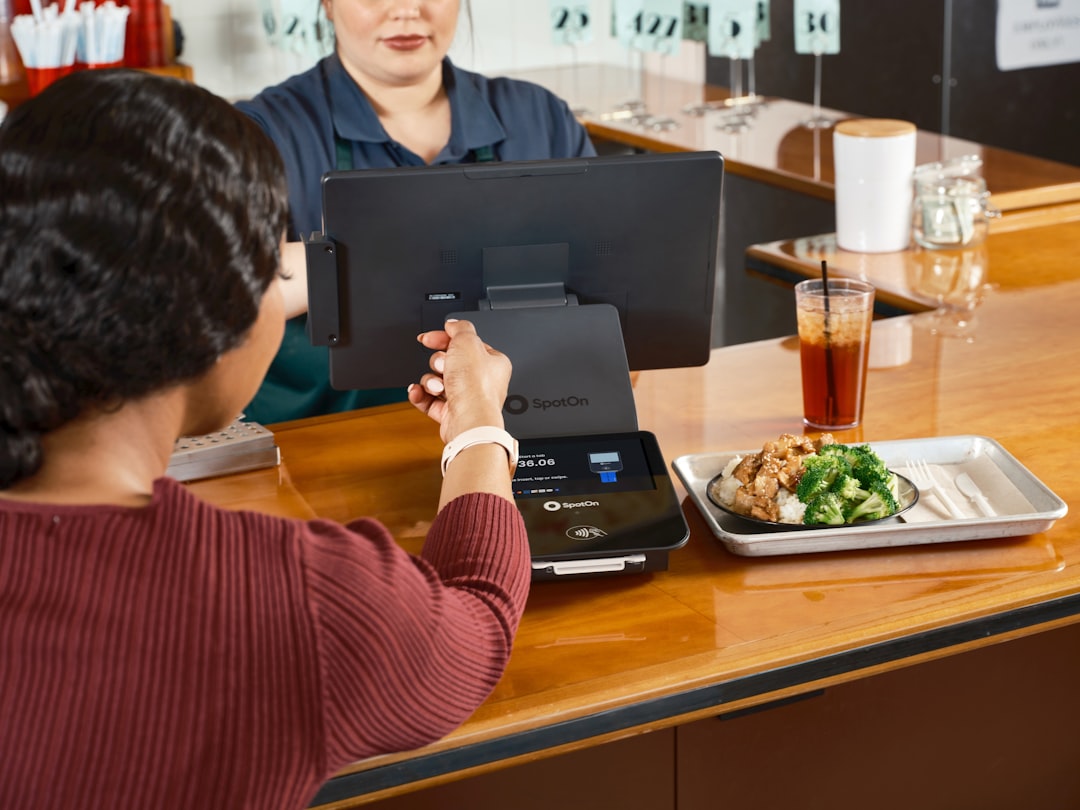
At 7:12 on Friday, your tablet buzzes and the screen flashes: "AI anomaly alert: discount pattern shift." A busy shift is already running, two orders are waiting on the screen, and your host is already asking for help at the door. One team member taps the alert, another asks if this is "urgent," and before anyone has a chance to decide, the lane slows down because everybody is thinking out loud.
That moment is not a problem with your people. It is a design problem in your process. AI flags are usually fast at finding patterns, but not always fast at understanding your operation. A model can notice a change. It cannot decide whether the team can recover with one manager, whether the next ten guests matter more than the last ten logs, or who can handle the alert without burning the whole shift.
Most small teams solve this by inventing a rule like "react to every red alert." That works until it does not. When every signal feels critical, no one can tell which signal truly deserves action. What starts as a smart system becomes a source of confusion, and eventually the team starts ignoring alerts as background noise. You lose the upside of AI at the very moment you needed it.
Start with a two-question filter
Before discussing owner roles and scripts, you need one simple filter. Every alert should be checked by two questions in this order:
- Can this alert affect a guest right now?
- Can this alert change money you keep in cash flow tonight?
If the answer is no to both, it is a monitoring alert. If either is yes, it is an action alert. If both are yes, it is a priority alert.
That sounds obvious, but it is the step most teams skip. AI often tells you what changed. Your process must tell your team why to move or not move now. Put this filter on a whiteboard or in a notes app where everyone can see it. Name it once and use it every shift.
Build a ladder, not a list
A list does not create speed. A ladder creates clarity. For this workflow, use three levels and always move an alert one level at a time.
Level 1: Flow
Flow alerts are those that risk service quality in the next few minutes. Common examples include lane lockups, repeat void patterns during one terminal session, or repeated payment retries on the same table while a queue forms. A Flow alert always gets one named owner: the shift captain or lead. That person either restores flow, assigns a helper, or triggers a backup plan.
At this level, speed matters more than perfect diagnosis. Your goal is to stop guest pain and keep lanes moving.
Level 2: Trust
Trust alerts are those that threaten how guests perceive accuracy. That includes allergy notes that become hard to find, wrong guest details, or repeated split-bill confusion across devices. A trust alert belongs to the operations lead or assistant manager. They have more context than a generic AI recommendation and can decide whether to pause only part of the system and route the case manually.
The right action here is to prevent a guest-facing error from compounding across the shift. That may mean changing a note placement, assigning one teammate to reconcile two screens, or documenting a rule exception for the team for one hour.
Level 3: Margin
Margin alerts are important but usually not instant. They include unusual discount stacking, unusual comp patterns, or unusual return behavior that might become loss if ignored. These are not meant to pull people off service. They belong to the back-of-shift review owner, usually the owner or desk manager. They are checked on a rhythm, then converted into a prevention action before close.
Because margin alerts do not usually need immediate interruption, teams can use data-first checks rather than hasty human guesses.
Assign owners before the shift starts
AI helps teams only if people know who answers first. Assign names to the three levels the morning you start a shift, not in the middle of a panic.
- One person is Flow Owner for the first three hours.
- One person is Trust Owner for the next six hours.
- One person is Margin Owner for closeout and post-shift review.
Rotate these owners every shift. A good rule is to keep owners in roles people already trust, not in the same role every day. A lunch prep lead can handle trust. A closing host can handle margin notes. The goal is not seniority. The goal is ownership plus presence.
When roles are set, train each owner with the same script. The first 60 seconds after an alert can decide whether the alert solves a problem or just adds noise.
Flow owner script
Question: Can this hurt service in the next 10 minutes?
Action: If yes, assign one teammate to continue order flow while you isolate the affected lane, then restore or switch mode.
Close condition: Service resumes with clear visible lanes and no guest waits longer than your current average by more than 20 percent.
Trust owner script
Question: Could this alert cause a guest to receive the wrong order details or wrong price context?
Action: Confirm the source screen, cross-check one related order, then set a temporary correction rule for this shift.
Close condition: One correction rule is posted and communicated, and the same condition does not reappear in 45 minutes.
Margin owner script
Question: Does this signal require a policy tweak or staff retraining?
Action: Tag the signal, capture evidence, and assign it to next-day learning.
Close condition: It is documented in the shift log with a clear owner for the next shift.
Turn AI confidence scores into human decisions
Most systems show a score, like "high confidence." It is tempting to treat confidence as truth and hand off every action to the software. That is where small teams get tripped up. Confidence is a clue, not a command.
A good operator rule is simple: only act in minutes, not in seconds. Ask the AI for a recommendation, then use one human checkpoint before final action. The checkpoint changes by level.
- Flow: act first, verify immediately with visible guest impact.
- Trust: verify first, then act with one clear message to staff.
- Margin: verify thoroughly, then decide in review.
That one-line shift from automated urgency to human checkpoints is what makes AI support scale for small teams. You will still use AI daily, but your team will stop being run by it.
A practical 25-minute routine you can run today
You do not need a new software stack. You need a repeatable sequence.
Before opening, 5 minutes: Name the three owners for the shift and pin the two-question filter on a card.
At 12:45, midday 2 minutes: The Shift Captain reads the last 24 hours of Level 1 and 2 alerts and confirms they are still relevant.
After close, 10 minutes: Margin owner logs each Level 3 alert with one line: signal, likely root cause, and action that will happen next shift.
Before the next morning: If three alerts moved to Level 3 in one day, convert one into a team rule. If one alert moved to Level 3 every day for a week, convert it into a training scenario.
This is not theoretical operations jargon. It is the minimum system your team can hold. In practice, teams that adopt this routine usually see fewer repeated interruptions and less blame, because the alert has a path and the path has names.
What to say when the alert is real, but the signal is noisy
The best way to keep calm is to avoid generic responses like "Let's investigate." Give staff a fixed phrase that is short enough to memorize:
- "I see the flag, I am checking guest impact first."
- "I am separating this from the flow lane. Keep service moving."
- "I will review the payment pattern with receipts and make a call in 10 minutes."
These are practical and human. A scripted language lowers panic because staff hear the same cadence on every shift.
The final point, not a conclusion
AI in a small restaurant or retail operation is useful when it catches what people miss at a glance. It is dangerous when it becomes the loudest voice in your room. A useful alert system is not the loudest system. It is the most accountable one.
Your AI can still flag, but your team can decide. Give people the ladder to move every alert from noise to outcome, and they will stop treating the screen as a threat. If you want to move from panic alerts to practical control, download M&M POS and set this system in place with your current team before your next busy shift.
Next quarter, if this is working, your team will likely use fewer words on the same issues. That is a strong sign. Fewer words, better ownership, fewer last-minute mistakes. Not because AI got smarter. Because your process got clearer.
Direct URL: https://mmpos.app/download