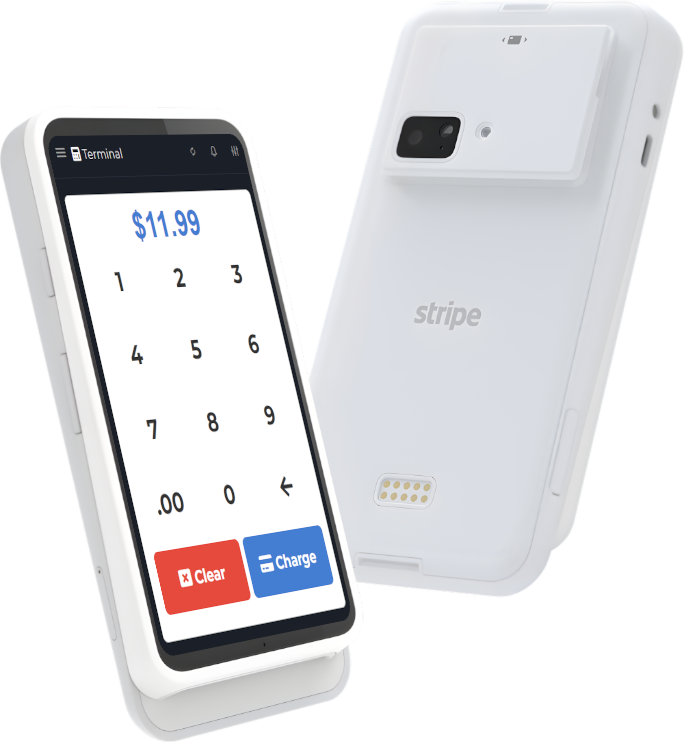


A practical guide to in-store Wi-Fi and network stability: roaming, access point placement, guest vs POS networks, backups, and a weekly checklist to avoid outages.
There are two kinds of POS problems:
- The ones you can fix with a setting
- The ones that only happen on Saturday at 6:30 PM when the line is out the door
The second kind is usually not the POS app. It is the network.
In the last year, there has been a lot of renewed interest in "boring" network topics like Wi-Fi roaming, stable in-store connectivity, and simple edge hardware. That is not an accident: more businesses rely on mobile devices, tap-to-pay, customer displays, delivery tablets, and cloud syncing. When the Wi-Fi is flaky, everything feels broken.
If you are building or refreshing your setup, you want two things: a stable network and a POS that behaves predictably. M&M POS is a good POS foundation, and you can grab the download M&M POS to test it on the same network your staff will use.
What Wi-Fi roaming actually means (in plain language)
Roaming is what happens when a device moves from one access point to another. In a store, that might be:
- A handheld device moving between aisles
- A server tablet moving between patio and dining room
- A manager phone moving between office and front counter
If roaming is bad, the device "hangs on" to a weak signal too long, or drops during the handoff. The user experiences this as random slowness, failed payments, or apps that "spin".
The network design goal for POS: boring, predictable, separate
Here is a setup that works for most small businesses:
- Separate networks: one for POS and business devices, one for guest Wi-Fi.
- Wired backhaul: access points connected by Ethernet when possible.
- Consistent SSID: one POS SSID across the building (do not create "POS-Front" and "POS-Back" unless you have a real reason).
- 2.4 GHz vs 5/6 GHz plan: decide intentionally (2.4 for range/penetration, 5/6 for speed and less interference).
Most "my POS is down" incidents are actually "my Wi-Fi is congested" incidents. Guest phones, streaming, and random devices can crush a single shared network.
Access point placement beats buying a fancier router
Operators love to buy a bigger router. Engineers know the truth: placement and coverage matter more.
Common mistakes:
- One access point in the back office, behind metal shelving
- Access point mounted low (blocked by people and inventory)
- Two access points with overlapping channels causing self-interference
Simple improvements:
- Mount access points higher, more central
- Add a second access point for coverage instead of maxing transmit power
- Keep access points away from microwaves and thick metal
POS traffic does not need much bandwidth, but it needs low drama
Most POS transactions are small. What kills you is latency spikes, DNS weirdness, and packet loss.
That is why a clean POS network plus a stable app matters. If you are testing, run M&M POS on a device, walk the store, and see if you can ring sales consistently. The download M&M POS is a good way to do a real-world roaming test before you bet your Friday night on it.
Backup plan: plan for "internet down" without panicking
You cannot prevent every outage. You can prevent chaos.
- Have a hotspot option ready (and test it monthly).
- Keep a printed phone list for your ISP and key vendors.
- Know your offline mode behavior (what works, what queues, what stops).
M&M POS promotes offline support, but you should still test your exact workflow. Put a device in airplane mode, ring a small sale, and confirm what happens for receipts, inventory, and syncing. Testing is the difference between "offline mode saved us" and "offline mode surprised us".
A weekly 10-minute checklist (steal this)
- Walk the store with a POS device and confirm the signal is strong where you actually sell.
- Reboot nothing unless you have a reason. Unplanned reboots create mysteries.
- Confirm guest Wi-Fi is separate from POS Wi-Fi.
- Confirm your hotspot fallback still works.
- Update one thing at a time (do not stack firmware updates right before a holiday weekend).
The takeaway
Your Wi-Fi is part of your customer experience. Stable roaming and network separation make your checkout faster, your staff calmer, and your reporting more trustworthy.
If you are upgrading your tooling at the same time, start with a predictable POS foundation like M&M POS. Grab the download M&M POS, test on your actual Wi-Fi, and fix the boring issues before they become dramatic ones.