


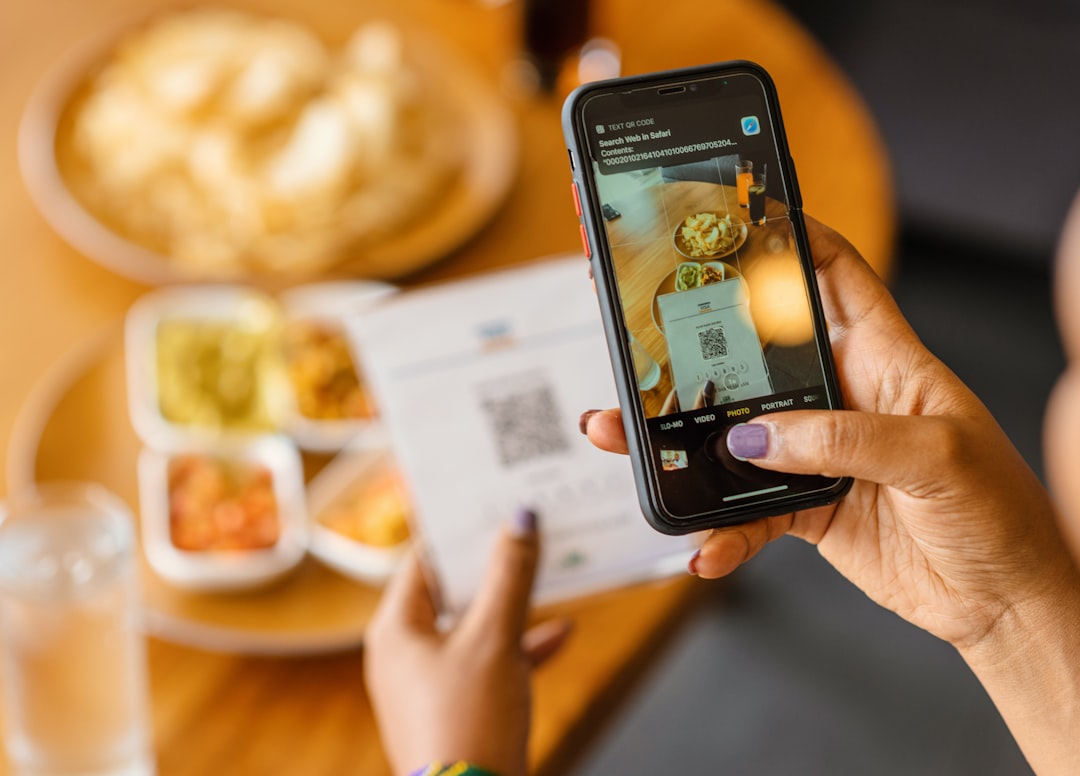
Self-service ordering is back in a big way: QR codes, tablets, kiosks, and hybrid counter flows. Learn how to design a self-service experience that improves throughput, reduces errors, and still feels human.
Self-service ordering has a funny reputation. When it works, it feels like magic: fewer lines, fewer mistakes, and staff who can focus on hospitality instead of repeating the same questions. When it fails, it is a slow-motion car crash: customers squinting at menus, abandoned carts, longer lines, and a team that now has to support the kiosk and the counter.
\n\nIn 2026, more small businesses are revisiting self-service because three things have changed:
\n\n- \n
- Customers are more comfortable ordering on their phones. \n
- Hardware got cheaper and more reliable. \n
- Labor is still a pressure point, so throughput matters. \n
But the key is this: self-service is not a feature, it is a system. It touches menu design, payments, order routing, fulfillment, refunds, and even your floor layout.
\n\nThis post is a practical guide to choosing between three common options:
\n\n- \n
- QR ordering (customer uses their own phone) \n
- Tablets or kiosks (store-owned devices) \n
- Hybrid counter service (self-service plus a human option) \n
We will focus on what matters to operators: line speed, average ticket, error rate, and customer happiness.
\n\nThe throughput truth: where orders actually bottleneck
\n\nBefore you pick a technology, map your bottleneck. Most teams guess wrong. In our experience, the bottleneck is usually one of these:
\n\n- \n
- Decision time: customers take too long choosing (menu overload). \n
- Payment time: the line stalls at tap/insert/swipe. \n
- Production time: kitchen or prep cannot keep up. \n
- Handoff time: orders are done, but pickup/fulfillment is chaotic. \n
Self-service helps most when your bottleneck is decision + ordering time, and less when production is the constraint. If your kitchen is maxed, adding kiosks might only move the line faster into a bigger pileup.
\n\nOption 1: QR ordering (pros, cons, best fit)
\n\nPros
\n\n- \n
- Low hardware cost: customers bring their own screen. \n
- Easy to scale: no extra devices to manage. \n
- Great for upsells: digital menus can gently recommend add-ons. \n
Cons
\n\n- \n
- Connectivity dependency: cell reception and Wi-Fi matter. \n
- Accessibility risk: not everyone wants to order on a phone. \n
- Support burden: "the QR is not working" becomes a frequent question. \n
Best fit
\n\nQR works well in environments where customers are already seated and have time (cafes, casual dining, taprooms) and where the staff can still step in quickly when a customer is stuck.
\n\nOption 2: Tablets and kiosks
\n\nPros
\n\n- \n
- Consistent experience: you control the screen, brightness, speed, and flow. \n
- Faster repeat ordering: especially for limited menus and combos. \n
- Better for walk-in traffic: a kiosk is visible and self-explanatory. \n
Cons
\n\n- \n
- Device management: cleaning, charging, updates, and damage. \n
- Space and layout: kiosks need room and a natural queue. \n
- Failure modes: when a kiosk freezes, it is very public. \n
Best fit
\n\nKiosks shine when your menu is stable, your order patterns are repetitive, and you have enough volume to justify dedicating space to a self-service lane.
\n\nOption 3: Hybrid counter service (the underrated winner)
\n\nHybrid means you offer self-service, but you keep a human option that is equally valid. The best hybrid implementations do two things:
\n\n- \n
- They remove shame: customers do not feel "forced" into tech. \n
- They preserve speed: staff can pull someone out of a stuck flow instantly. \n
Hybrid is often the safest path for a small business because it lets you test self-service without betting the whole store on it.
\n\nDesign rules that make self-service work
\n\n1) Fewer choices beat better choices
\n\nSelf-service magnifies menu complexity. If your menu is a wall of text, customers will stall. Use categories, defaults, and "most popular" highlights. If you can remove 10% of items with low sales, your throughput will improve more than any kiosk upgrade.
\n\n2) Make modifiers structured (not free-form)
\n\nFree-form notes create production errors. Self-service works when modifiers are consistent: sizes, add-ons, and substitutions are selectable, priced, and printed clearly to the kitchen or prep line.
\n\n3) Decide how payment happens
\n\nPayment is where self-service can either save time or waste it. If customers can pay as part of the flow, your counter line can shrink dramatically. If they still have to walk to the register, you might not gain much.
\n\n4) Build an "exception" path
\n\nThere will always be edge cases: split payments, last-minute changes, allergies, and item swaps. Self-service needs an explicit fallback: a button, a staff assist option, or a counter lane that can take over gracefully.
\n\n5) Make the pickup area obvious
\n\nSpeed at ordering is pointless if handoff is chaotic. Clear signage, an order number system, and a consistent place to stand prevents the "crowd around the counter" problem.
\n\nHow your POS choice affects self-service success
\n\nSelf-service is only as good as the data and routing behind it. Your POS needs to handle:
\n\n- \n
- clean menu structure and modifiers \n
- accurate pricing and tax \n
- reliable order tickets for staff \n
- refunds and changes without chaos \n
- reporting so you can measure whether it worked \n
That is where M&M POS can be a solid foundation: build your catalog once, keep ordering consistent, and use reporting to evaluate whether QR ordering or kiosks are improving throughput or just moving the problem around.
\n\nIf you want to explore a self-service strategy, start by setting up a clean menu and modifier system, then download M&M POS to test your ordering flow in a controlled way before rolling anything out store-wide.
\n\nA simple 2-week experiment plan
\n\n- \n
- Week 1 (baseline): measure average ticket, line time, and error rate as-is. \n
- Week 2 (test): introduce QR ordering for a subset (or a kiosk lane), keep hybrid counter service, and track the same metrics. \n
Decide using your own data, not the hype. The best self-service systems feel invisible because the store suddenly runs smoother. That is the bar.
