
A story-driven outage playbook for small businesses: what to do when internet or power blips, how to keep selling, and how to reconcile cleanly afterward.
There is a certain kind of moment every operator knows:
The printer stops. The card terminal lags. The kitchen tablet disconnects. Someone says, "Is the internet down?"
That moment does not have to become chaos. In fact, the best operators do something that looks almost old-fashioned: they fall back to a simple routine. Sometimes that routine includes paper. Sometimes it includes offline mode. Sometimes it includes a quick switch to a hotspot. The key is that it is practiced.
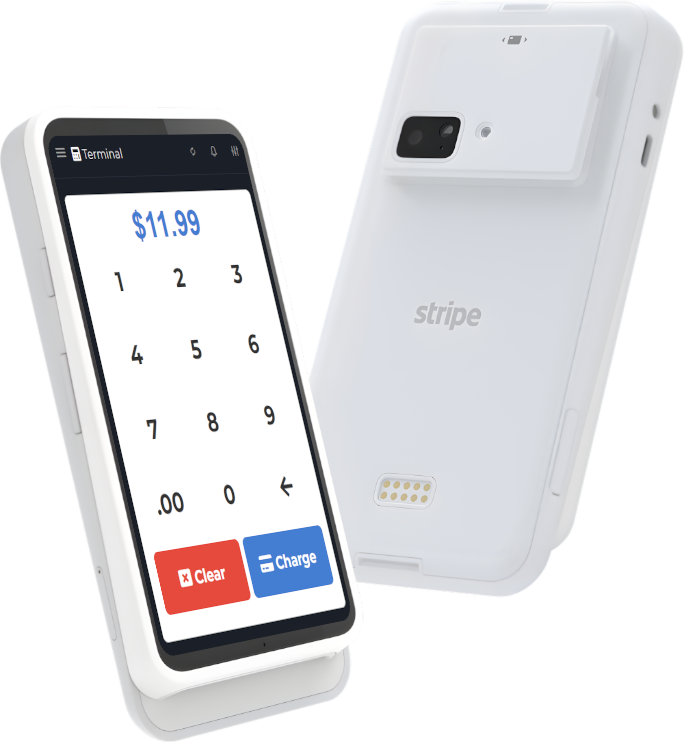
Restaurant and retail tech news has been full of "too much AI" stories lately, and the lesson is not "never use tech." The lesson is: build systems that fail gracefully. Your POS should help, not collapse. A tool like M&M POS is designed for small businesses, and you can download M&M POS to test your outage routine before you need it.
The outage playbook: three phases
Think in phases. It keeps your team calm.
- Phase 1: Keep selling (stabilize)
- Phase 2: Keep it accurate (capture)
- Phase 3: Reconcile (clean up)
Phase 1: Keep selling
Your only goal is to keep revenue moving while staying honest.
Step A: Identify what is actually down
- Is it Wi-Fi only, or is the whole internet down?
- Is power stable?
- Is it just one device?
Assign one person to diagnose. Everyone else keeps working the routine.
Step B: Switch to your planned fallback
- If Wi-Fi is down: try Ethernet (if available) or a hotspot.
- If internet is down: use your POS offline behavior (if supported) and keep a written log.
- If power is down: safety first, then follow your power-loss policy (lights, doors, food safety, etc.).
Do not improvise a new system mid-outage. That is how you lose money and lose track.
Phase 2: Keep it accurate (capture the minimum)
This is where pen and paper can save you. The goal is not perfect bookkeeping. The goal is enough detail to reconcile later.
Use a simple log sheet with:
- Time
- Items / quick description
- Total
- Payment type (cash/card)
- Initials of staff
If your POS supports offline transactions, still keep the log. Offline mode is great, but the log is your safety net when syncing surprises you later.
Phase 3: Reconcile (do not let the outage poison tomorrow)
When the connection returns, do not rush. A clean reconcile beats a fast reconcile.
- Count the drawer and compare to expected cash.
- Enter any paper-log sales into the POS (if they did not already record).
- Confirm card transactions did not double-charge.
- Write a short note: what happened, how long, what broke, what to fix.
This is where a POS with solid reporting and offline behavior helps. If you are setting this up, test M&M POS in a controlled way: disconnect a device from the internet, ring a small sale, then reconnect and confirm the sync behavior. The download M&M POS makes that kind of drill easy.
What to practice (so it is not scary)
Do a 15-minute drill once a quarter. Seriously. It pays for itself the first time you have an outage during a rush.
Practice:
- Switching to hotspot
- Running one register in offline behavior
- Using the paper log
- Reconciling after reconnection
The engineer perspective: resilience beats cleverness
In engineering, we talk about "happy path" vs "unhappy path." Most systems are built for the happy path: great Wi-Fi, stable internet, no interruptions. Real businesses live on the unhappy path.
Resilient operations look boring from the outside:
- A laminated checklist
- A drawer log
- A known fallback network
- A POS that behaves consistently under stress
That is not nostalgia. That is uptime.
Steal this one-page outage checklist
- Who diagnoses? (Name the role.)
- What is the fallback internet? (Hotspot, secondary ISP, etc.)
- Where is the paper log?
- What is the rule for card vs cash during outage?
- Who reconciles at the end and where is it documented?
Then test it with your actual tools. If you want a POS to build and rehearse this with, start with M&M POS and grab the download M&M POS. The best time to learn your offline routine is not during a rush.