
Feature flags are a software technique, but the mindset works for small businesses too. Learn how to run controlled menu, pricing, and promo experiments with clear rollback rules, POS reporting, and staff-friendly execution.
In software, teams ship new features behind feature flags. The feature exists, but only some users can see it. If anything looks off, the team can flip the flag off instantly - no emergency release required.
That idea is quietly becoming a small-business superpower, even if you never write a line of code. Because menus, pricing, promos, and add-ons are also "features" - and rolling them out to 100% of customers at once is how you end up with a Friday-night meltdown.
In this post, I want to translate the feature-flag mindset into a practical operations playbook you can run with a point-of-sale system, a spreadsheet, and a calm decision loop.
The small-business version of a feature flag
A feature flag is just a controlled switch. In a store or restaurant, your "switch" might be:
- A new menu item that only appears during certain shifts.
- A price change that applies only to one location (or one register) while you test.
- A promotion that only triggers when the cart has a specific item combination.
- A bundle that you offer verbally (scripted) before you make it a visible button on the register.
- A service add-on (gift wrap, rush fee, installation) you pilot with one staff member first.
The key is that you treat the change as reversible. You also treat the change as something you can measure, not something you "feel" for two days and then keep forever.
Why 100% rollouts fail (and why it is not your fault)
Our team has found that big operational changes fail for boring reasons:
- Training is uneven. Two staff members learn the new flow, two do not, and the register becomes an argument.
- Edge cases show up late. The first day looks fine until the first refund, split payment, or discount stack.
- Inventory reality disagrees. The new item sells, but prep capacity or supplier lead times do not.
- Reporting definitions drift. You cannot tell whether the experiment worked because items were rung under multiple names or categories.
Feature-flag thinking fixes this by making the rollout smaller, cleaner, and easier to undo.
A practical experiment loop you can run this week
Step 1: Write the hypothesis in plain language
Examples:
- "If we add a $2.00 extra-protein modifier to our top three bowls, average ticket will increase without increasing remake rates."
- "If we offer a 10% weekday bundle on slow-moving accessories, we will reduce dead inventory without training chaos."
- "If we change the default tip prompt order, tip rate stays stable but checkout moves faster."
Do not start with "We should raise prices." Start with what you expect to happen and why.
Step 2: Pick one primary metric and two guardrail metrics
Primary metrics are what you are trying to improve. Guardrail metrics are what you refuse to break.
Primary metric ideas: average ticket, attachment rate for an add-on, units per transaction, sell-through rate for a category.
Guardrail metric ideas: void rate, refund rate, discount abuse, remake rate (for food), time-to-checkout, customer complaints, staff frustration.
If you cannot measure a guardrail, pick a different experiment. (Yes, really.)
Step 3: Create a rollback rule before you start
This is where most small businesses get stuck. A rollback rule turns arguments into math.
Examples:
- "If voids on the new item exceed 3% of transactions for two shifts in a row, we turn it off and retrain."
- "If the new bundle causes more than five price overrides in a day, we pause and fix the register buttons."
- "If the promo reduces margin below our floor, we stop it immediately."
Write the rollback rule in the same document as the hypothesis. That way, you are not negotiating with yourself mid-rush.
Step 4: Roll out to a controlled slice
Pick one slice:
- One shift (for example, weekday lunch).
- One register.
- One staff member (with a script).
- One location.
Slice selection matters. If you only test during your quietest shift, the test may not survive your busiest shift. If you only test during your busiest shift, you will hate your life. Choose a slice that gives you signal without risking chaos.
Step 5: Make the POS setup boring and consistent
Most "experiment failures" are actually setup failures:
- Item names differ across buttons (reporting splits).
- Taxes are wrong (refunds and customer complaints).
- Modifiers are inconsistent (staff improvises).
- Receipts do not match what customers think they bought (disputes follow).
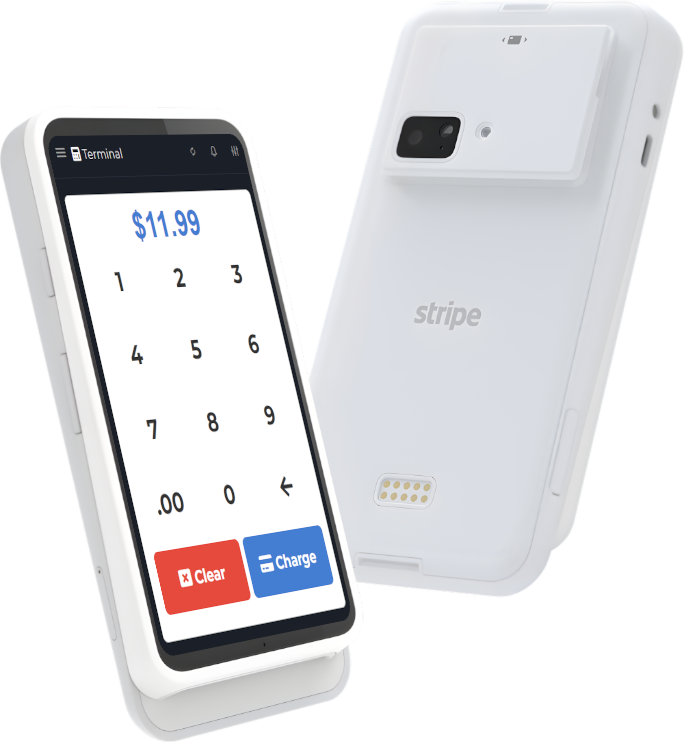
This is where a POS that is built for small-business clarity matters. If you are reviewing options, start at M&M POS and keep the install simple by grabbing the latest build here: download M&M POS.
Step 6: Review on a fixed cadence
Do not "keep checking all day". That creates anxiety and bad calls.
Instead:
- Midday: quick check for obvious breakage (voids, overrides, staff confusion).
- End of day: 10-minute metric review.
- End of week: decision meeting (keep, kill, tweak, or re-run).
Two patterns that work especially well
1) Invisible-first rollouts
Start with an internal change before you make it customer-visible. Example: create the item and train staff on the flow, but do not advertise it yet. Once the POS, kitchen, and receipts are stable, then make it customer-visible.
2) Scripted rollouts
Before you add a new button, pilot the upsell as a sentence. For example: "Want to make that a combo for $X?" You get instant data on customer appetite and staff comfort. Then you encode it into the POS only after the script works.
What to do if the experiment "works" but your team hates it
This is common. Your numbers improve, but staff morale drops and mistakes rise.
The fix is usually not "ignore the team". It is to reduce cognitive load:
- Rename buttons to match customer language.
- Collapse three modifiers into one sensible choice.
- Move the button to the screen where the staff actually needs it.
- Give a single example receipt during training so everyone sees the end state.
Feature flags teach you this: shipping is not done when the feature exists. Shipping is done when the workflow is stable.
Closing thought
Small businesses often think "experiments" are only for big tech. But the best operators have always run experiments - they just did not call them that. Feature flags are simply a modern way to run experiments with less risk, clearer measurement, and faster rollback.
If you want your register to support that style of disciplined growth, take a look at M&M POS and keep a copy ready for setup day: download M&M POS.