


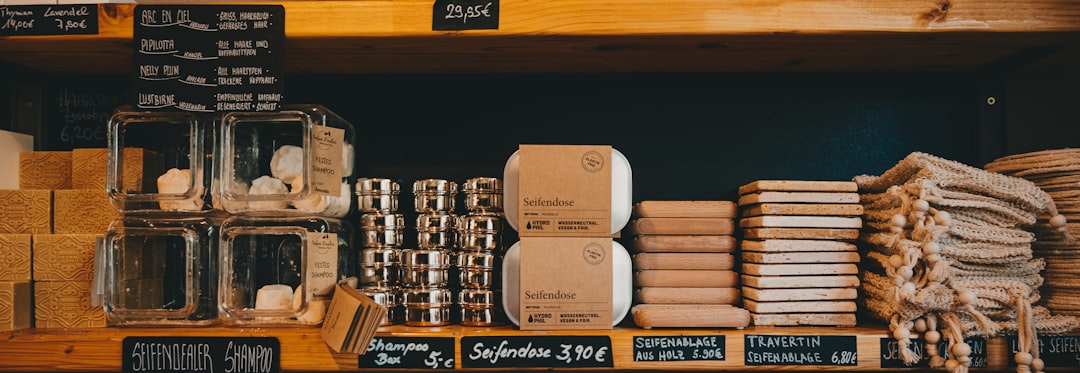
E-ink shelf labels and low-power displays are getting cheaper and easier to run. This guide breaks down where they actually help (and where they do not), plus a rollout plan that keeps pricing and inventory accurate.
Walk into a modern grocery store and you will see them everywhere: little electronic price tags on shelves.
That tech is moving downstream. You can now buy small, color e-ink displays and low-power signage hardware without being a Fortune 500 retailer. The question is not "is it cool?" (it is). The question is: does it pay off for a small business?
Here is a practical breakdown: where e-ink shelf labels and low-power displays help, what usually goes wrong, and how to roll them out without turning your pricing into chaos.
What e-ink is (in plain language)
E-ink displays (sometimes called e-paper) behave more like a printed page than a phone screen. They use very little power because they only consume energy when the image changes. That makes them good for:
- Shelf labels that rarely change
- Small signs that need to be readable under bright store lighting
- Battery-powered tags that you do not want to charge every day
They are usually not good for:
- Fast animation or video
- Constantly refreshing dashboards
- Anything that needs "instant" updates every few seconds
Where small businesses actually win with e-ink labels
1) Pricing accuracy (and fewer employee interruptions)
If you have ever had a customer bring an item up and say "the shelf said $9.99" but your POS says $12.99, you know the cost:
- Line slows down
- Staff gets pulled into a debate
- Someone has to walk back and check the shelf
- Sometimes you honor the lower price to keep the peace
E-ink labels can reduce mismatches if (and only if) you run them from the same source of truth as your POS pricing.
2) Fast promo rollouts without printing marathons
Printing 200 promo labels is a time tax. E-ink lets you run promos like software: schedule a discount window, push the change, and roll it back automatically.
3) Better merchandising signals
Even basic shelf labels can show more than price:
- Unit price (cost per ounce)
- Dietary labels (gluten-free, vegan) for packaged goods
- "New" or "Staff pick" callouts
- QR codes for product details (if you want them)
That reduces questions and increases confidence at the shelf.
Where e-ink projects fail (so you can avoid it)
A. The source-of-truth problem
If your shelf labels pull from a spreadsheet, but your POS pricing is updated manually, you now have two truths. That makes mismatches more likely, not less.
Engineering perspective: distributed systems fail at the boundaries. If you cannot keep data in sync, do not distribute it.
B. The SKU mapping problem
Labels only work when each label is tied to a specific SKU (or variant) consistently. If your shelf is stocked loosely (items float around), e-ink does not fix that. You need basic planogram discipline.
C. The "we change prices constantly" problem
Some businesses update pricing frequently (market-driven items, frequent promos). E-ink can handle this, but only if your workflow is mature. Otherwise, you will push the wrong prices faster.
A rollout plan that does not melt your brain
Phase 1: Pilot one category (2-4 weeks)
- Pick 20-50 SKUs that have stable shelf positions
- Standardize names and variants first
- Confirm barcodes and SKU IDs are correct
- Decide what the label shows: price, unit price, promo badge
Goal: prove you can keep shelf and POS aligned for a month.
Phase 2: Add promo scheduling (optional)
If your labels support scheduled updates, test a simple weekend promo. The main risk is human: someone will forget they scheduled it. Build a checklist: "review active promos Monday morning".
Phase 3: Expand to high-friction areas
Once you trust the system, expand to categories where label mismatch causes the most pain (impulse items, sale endcaps, fast-turnover basics).
How M&M POS helps you do this without chaos
To make e-ink labels work, you need pricing and inventory to be clean enough that automation does not amplify mistakes.
That is why we like starting with a POS as the operational anchor. In M&M POS, keep your items, variants, and price changes centralized. Then any labeling system can be built around that source-of-truth mindset instead of drifting spreadsheets. If you want to tighten up your catalog and pricing workflow first, download M&M POS and get your SKUs and variants into a clean structure before you buy hardware.
Bottom line
E-ink shelf labels are not a vanity upgrade when they solve real problems:
- Less time printing
- Fewer pricing disputes
- Cleaner promos
- More information at the shelf
But they only pay off if your POS data is disciplined. Get the workflow right, then automate the display.
