
Digital wallets and bank-to-bank payments are changing what customers expect at checkout. Learn a practical way to choose payment methods, keep reconciliation clean, and use your POS as the source of truth.
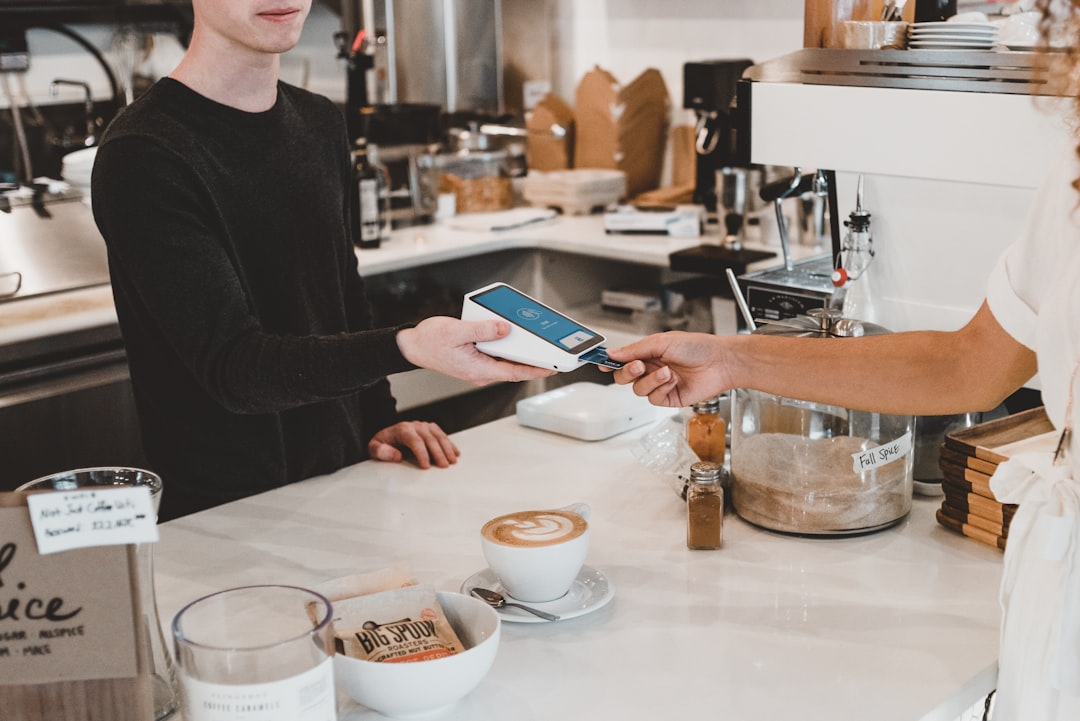
Payments used to feel simple: swipe, dip, cash, maybe a check. Now the checkout button is getting crowded. Digital wallets are default for a lot of customers, bank-to-bank options are growing, and new rails show up faster than most small teams can evaluate them.
If you have ever added a payment method because a customer asked for it twice in a week, you are not alone. But adding options without a plan can create a second problem: messy close-outs, hard-to-explain deposit differences, and a reconciliation process that quietly steals hours.
This is a practical playbook for choosing a checkout mix in 2026 without turning payments into a hobby.
The trend: checkout is being rewritten around trust and speed
The direction is clear across the industry: wallets are becoming the default, and alternative rails (like bank-to-bank) are getting productized. This is not only about fees. It is about reducing friction in the moment where customers are most likely to abandon (or get annoyed).
But here is the catch for small businesses: the goal is not accept everything. The goal is accept what your customers use while keeping your back office clean.
Start with a simple model: three buckets, one source of truth
Instead of thinking in brand names, think in buckets:
- Card rails: credit and debit, whether physical, tapped, or stored in a wallet.
- Wallet rails: a customer-approved layer that makes checkout feel instant (often still backed by a card or bank account).
- Bank rails: direct-from-bank payments that can be real-time in some countries and contexts.
No matter how many methods you add, you need one source of truth for sales: your POS. Your POS is where you should be able to answer the boring questions quickly:
- What did we sell today?
- What did we refund?
- What was taxed and how?
- What should hit the bank, and when?
If you are reviewing POS options or tightening up operations, start with M&M POS. It is much easier to add payment methods when your transaction records, refunds, and day-close reporting are consistent. When you are ready to set it up, grab the installer here: download M&M POS.
How to choose which payment methods to offer (without guessing)
Use a two-part test: demand and operational cost.
1) Demand test: is this method actually used by your customers?
Instead of asking what is popular on the internet, ask:
- Do customers ask for it at the counter?
- Do you lose sales when you cannot accept it?
- Is it common for your customer demographic (students, tourists, high-ticket buyers, etc.)?
If you have multiple locations or multiple staff members hearing the same request, that is signal. If one customer asked once, that is noise.
2) Operational cost test: what will this do to reconciliation?
Every payment method you add has a hidden tax:
- Settlement timing drift: some methods settle instantly, some next-day, some in batches.
- Fee structure complexity: flat plus percent vs tiered vs subscription models.
- Refund behavior: some methods refund back to the same rail cleanly, others require extra steps.
- Dispute surface area: more methods can mean more ways customers can question a charge.
If a method makes it harder to answer why the bank deposit is different than the POS total, it needs a strong demand signal to justify it.
Build your payment map (this is the part that saves your sanity)
Here is a small-business move borrowed from engineering teams: write down the contract.
Create a one-page payment map with these columns:
- Method name (what staff calls it)
- POS tender type (how it shows in reports)
- Expected settlement timing (same day, next day, multi-day)
- Refund policy (same-rail refund, manager approval, special cases)
- Who to escalate to if something fails (owner, manager, payment provider)
This is not busywork. It prevents the classic close-out argument: the deposit is short vs no, it is just the settlement delay.
Design your checkout screen like a menu, not like a settings page
More choices can slow checkout. In practice, the cleanest checkout screens follow one rule:
Put the most common payment methods first, and hide the rare ones behind a single extra tap.
For most local businesses, that means your fast path is something like:
- Tap, chip, or swipe (card)
- Cash
- Wallet (if your setup treats it distinctly)
Everything else can live behind an Other button with a short list. The goal is speed for 95% of transactions.
Reconciliation: stop trying to make deposits match the same day
One of the biggest mental traps is expecting same-day bank deposits to match the POS daily total. With modern payment methods, that is often not true.
A better habit:
- Use the POS as your sales truth for the day.
- Use the payment processor settlement report as your what-should-hit-the-bank truth for the deposit.
- Match them on a rolling window (often 2 to 5 business days), not a single day.
Once you adopt that, the mystery short deposit problem shrinks dramatically.
A simple rollout plan (so you do not break your busiest day)
If you are adding a new method, roll it out like a controlled change:
- Week 1: enable it, but only train one or two shifts. Make sure refunds work end-to-end.
- Week 2: expand training and update your payment map.
- Week 3: decide whether to keep it, based on real usage.
That rollout mindset is exactly why your POS matters. A POS should make it easy to track tenders cleanly and close the day without manual math. If you want a solid foundation for that kind of checkout evolution, start with M&M POS and keep the installer ready here: download M&M POS.
Closing thought
Payments will keep changing. The businesses that stay calm are the ones that treat checkout like a system: pick a deliberate mix, write down the rules, train consistently, and keep the POS as the source of truth.